Global Settings
How it works
WooCommerce → Settings → Appointments has four sections: General, Google Calendar, Indexing & Performance, and Staff Permissions. Store hours are not edited here - use Appointments → Availability (Availability).
Do this before creating products
- Set WordPress → Settings → General timezone, date format, and week start - Timezones
- Skipping site timezone setup affects every slot, email, and calendar view
Open WooCommerce → Settings → Appointments.

| Section | What it holds |
|---|---|
| General | Timezone Display, Experimental (Locations & rooms), and a link to Availability for hours |
| Google Calendar | OAuth, sync preference, re-sync, backup, debug log |
| Indexing & Performance | Indexed availability cache and re-index |
| Staff Permissions | Default caps for Shop staff (overridable per user) |
General tab
Timezone Display
Controls whether appointment times convert to each user's local timezone (storefront and/or admin). Site timezone itself stays in WordPress → Settings → General.
| Option | Meaning |
|---|---|
| Enabled everywhere | Convert times on storefront and in admin |
| Frontend only (disable in admin) | Convert for customers; admin stays in site timezone |
| Admin only (disable on frontend) | Convert in admin; storefront stays in site timezone |
| Disabled everywhere | Always site timezone |
Details: Timezones.
Experimental
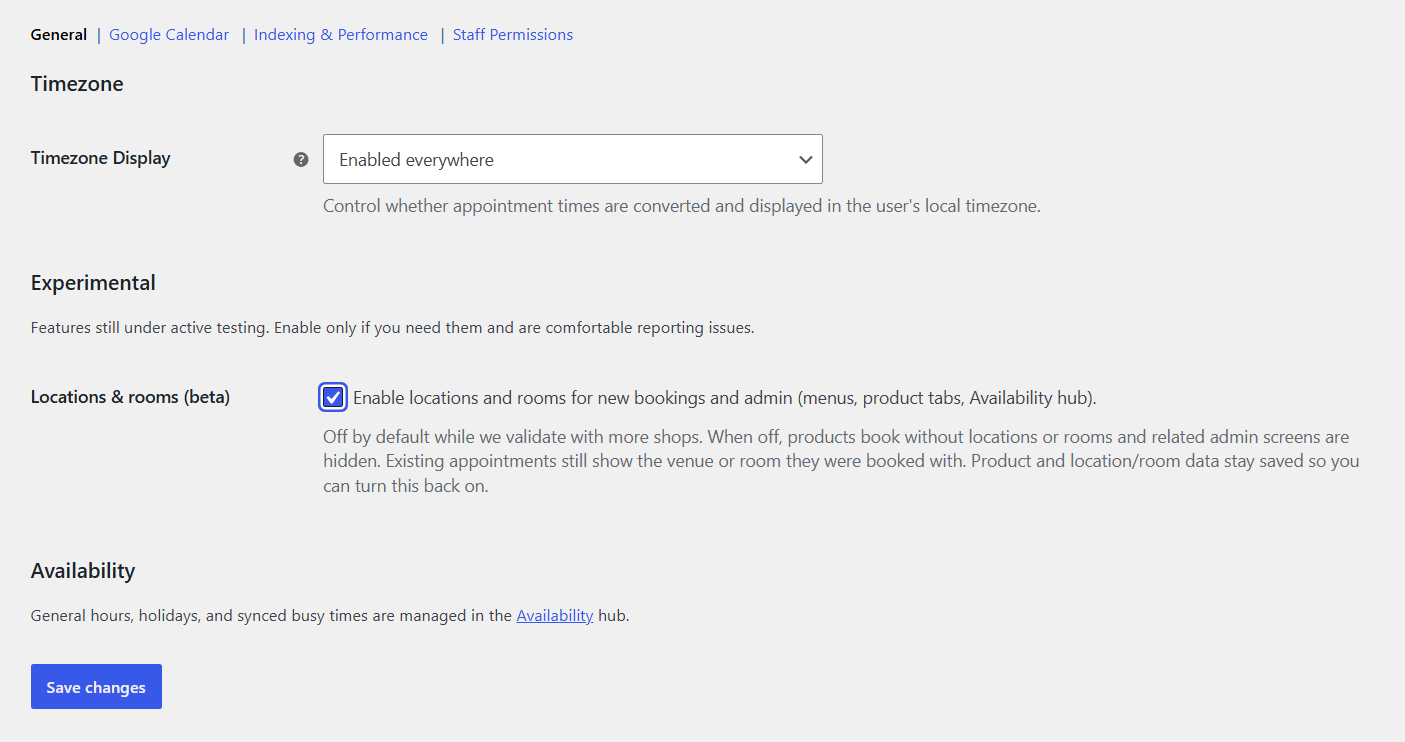
| Option | Purpose |
|---|---|
| Locations & rooms (beta) | Shows Appointments → Locations, Rooms & resources, related product tabs, and those layers in Availability. Off by default. |
When off, those menus and tabs are hidden. Past appointments still show saved venue/room snapshots; product and location/room data stay saved so you can turn the beta back on. Guides: Locations · Rooms & resources.
Availability (deeplink only)
The General tab shows an Availability heading with a link into Appointments → Availability. General hours, holidays, and synced Google Busy blocks are edited there (General row in the left rail) - not as tables on this settings screen.
See Availability.
Google Calendar
OAuth and store calendar at WooCommerce → Settings → Appointments → Google Calendar.
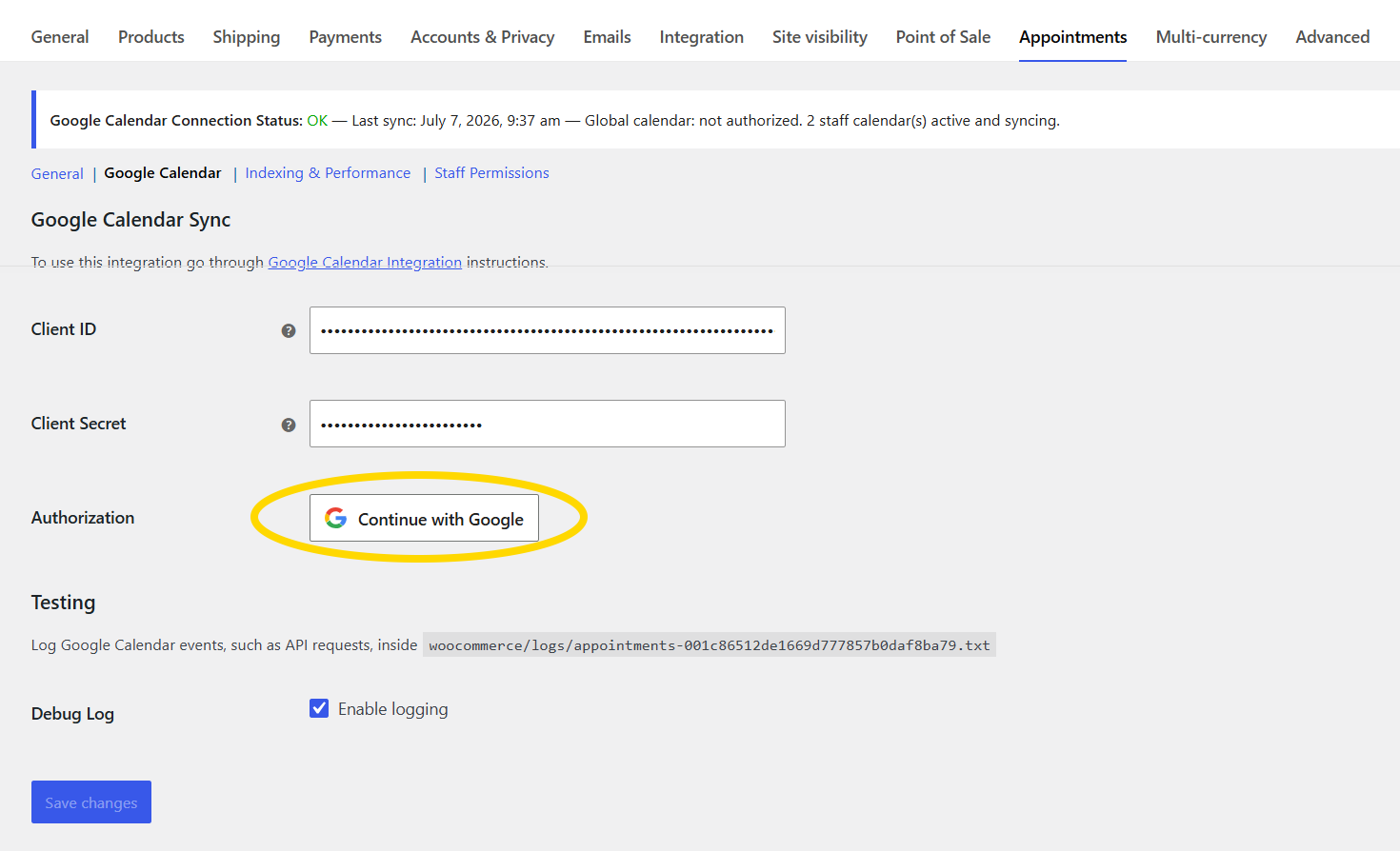
| Setting | Purpose |
|---|---|
| Client ID / Client Secret | From Google Cloud Console |
| Continue with Google | Authorize the store account |
| Calendar ID | Store calendar; leave empty for staff-only sync |
| Sync Preference | One-way or two-way (after OAuth) |
| Re-sync from Google Calendar | Full busy-event import (two-way + calendar ID) |
| Backup & Restore | JSON export/import before large re-syncs |
| Debug Log | API logging (Testing section) |
Continue with Google replaced "Connect with Google" in 5.3.5+. Re-sync appears only with two-way sync and a calendar ID selected. Imported busy times appear under Unavailable in Availability.
Full walkthrough: Google Calendar sync.
Indexing and performance
Enable the availability cache for busy stores.
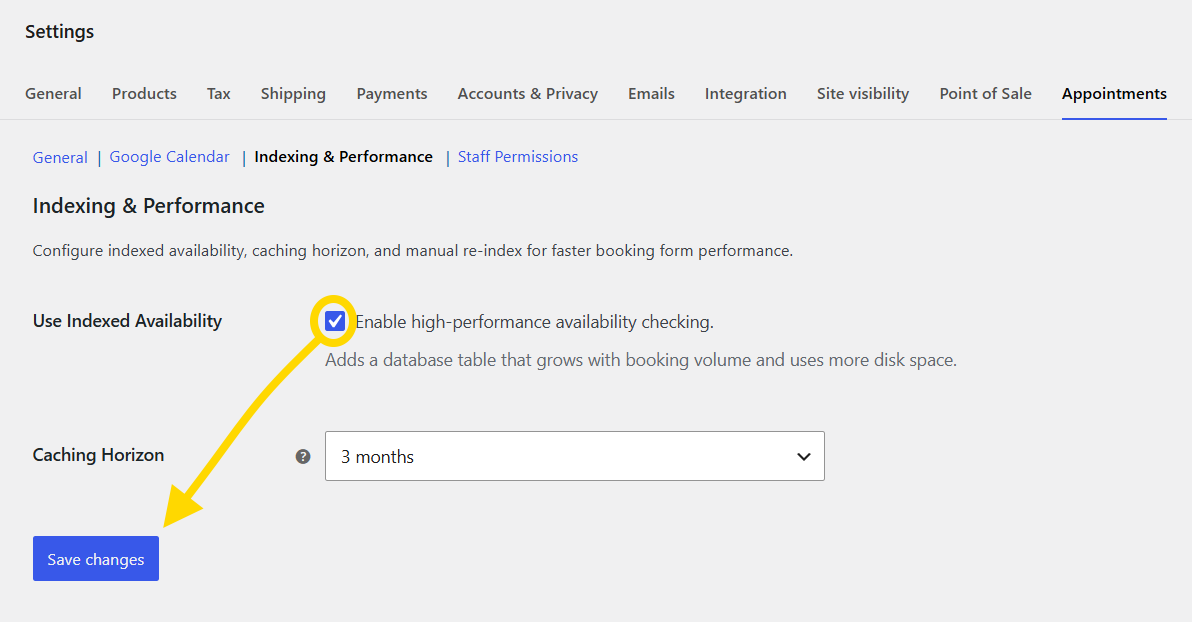
| Option | Purpose |
|---|---|
| Use Indexed Availability | Cache table for fast slot lookups |
| Caching Horizon | Months ahead to pre-cache (1-12) |
| Manual re-index | Rebuild cache (shown when indexing is on) |
Enable indexing soon after install on high-traffic stores.
Details: Indexing & performance.
Staff Permissions
WooCommerce → Settings → Appointments → Staff Permissions sets defaults for all Shop staff. Override per person on the user profile.
See Roles & capabilities.