Availability
How it works
Nothing is bookable until you add Open hours. Edit everything in Appointments → Availability: pick an item in the left rail, add rules, then check Week at a glance.
What you need
- An appointable product (a draft is fine)
- Site timezone set - Settings · Timezones
Setup order: Create a product → set hours below → Test booking
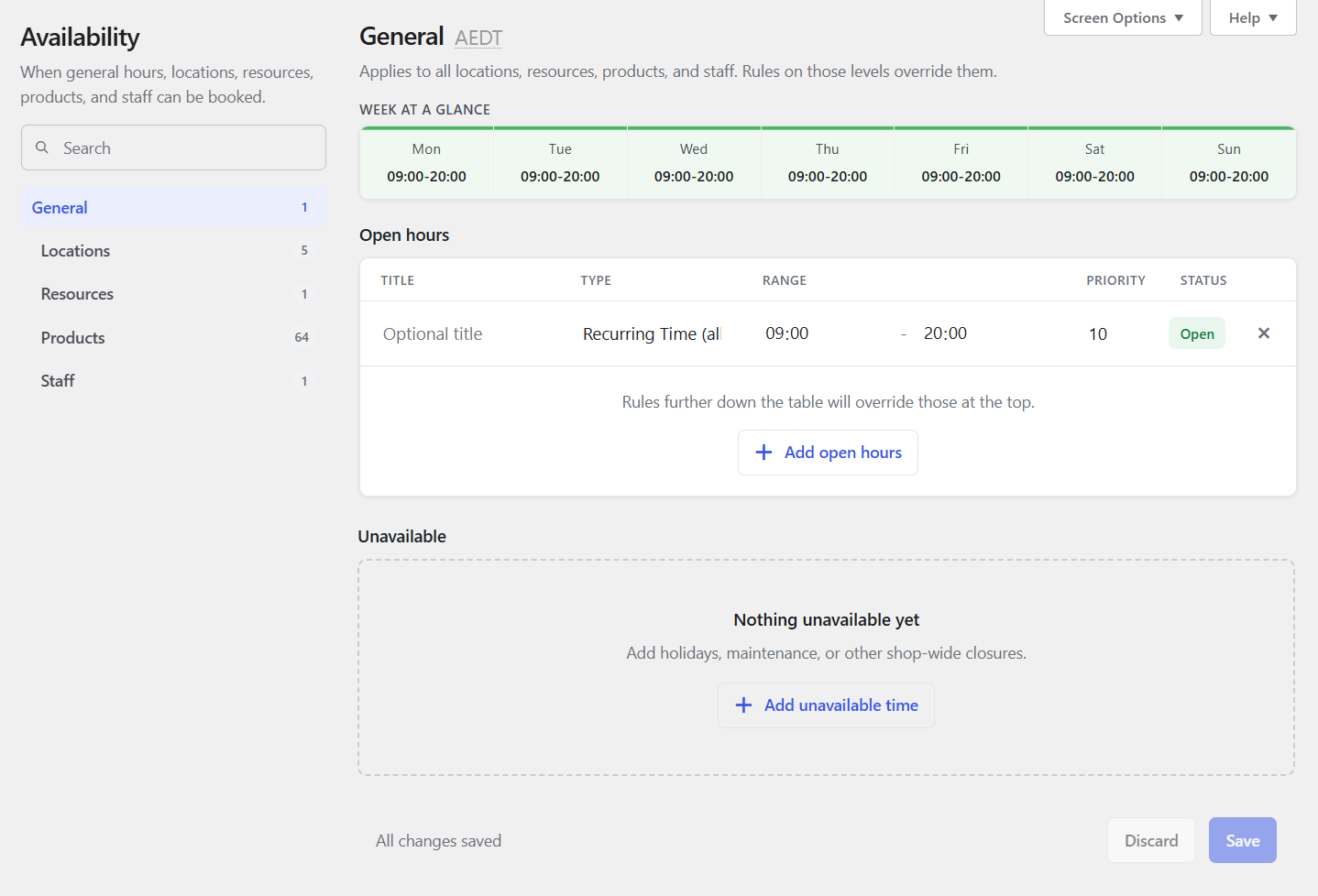
Appointments → Availability
This is the only place you edit hours. Product, staff, and (with the beta) location or resource screens link here instead of separate tables.
| Area | What it does |
|---|---|
| Left rail | Search and pick General, a product, staff, or (if the beta is on) a location or resource |
| Open hours | When customers can book |
| Unavailable | Closed dates and Google Busy blocks |
| Week at a glance | Net hours for the selected item (updates as you edit) |
On small screens, use the path toggle to switch between the list and the editor.
Mon-Fri 9-5
Select General (or your product) in the rail. Under Open hours:
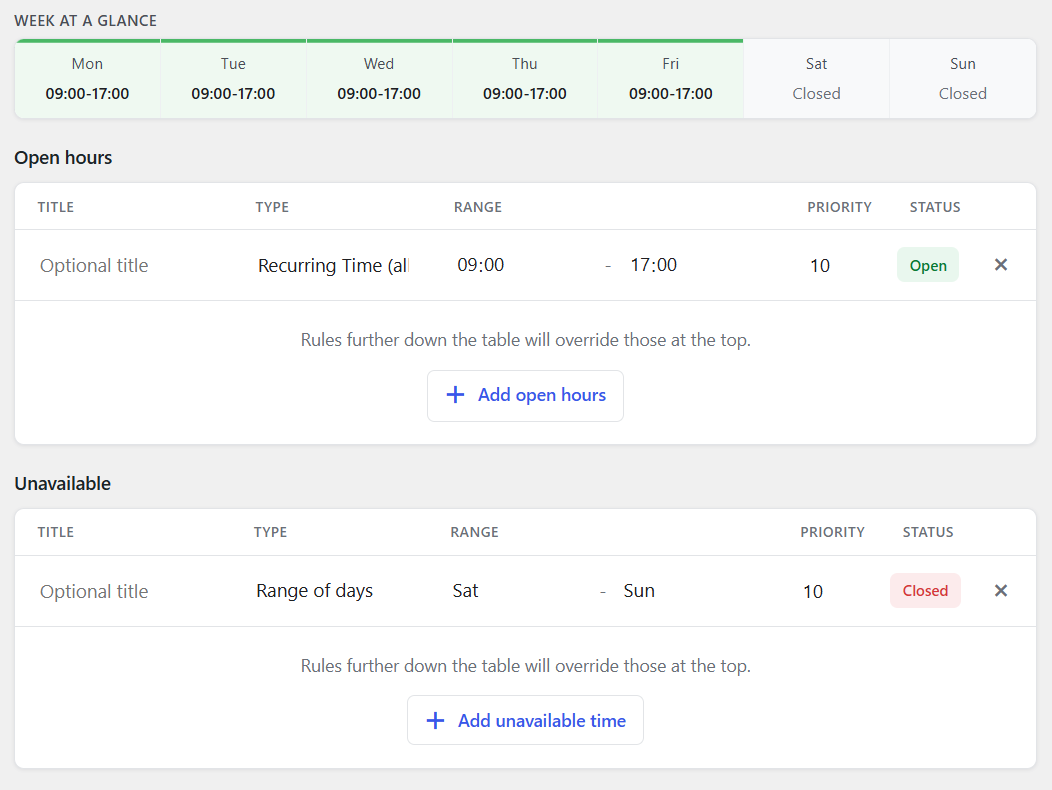
Option A - two rules (recommended)
| # | Type | From | To | Status |
|---|---|---|---|---|
| 1 | Recurring Time (all week) | 09:00 | 17:00 | Open |
| 2 | Range of days | Saturday | Sunday | Closed |
Put the weekend Closed rule below the open hours rule.
Result: Mon-Fri 9-5 · weekends closed.
Option B - one rule per weekday
Add five Open rules (Monday-Friday), each 09:00-17:00. Leave Saturday and Sunday alone (closed by default).
Avoid this mistake
Do not set Range of days Monday-Friday to Open. That opens those days all day. A separate "9-5 every day" rule then also opens weekends 9-5.
Range of days = whole calendar days. Use Recurring Time (or weekday time rules) for office hours. Locations and rooms support Range of days too (useful for day-duration room schedules).
Layers and priority
Rules can sit on different layers. More specific layers sit lower in this picture and win when priority is equal. Within a layer, the lower priority number wins (blank = 10). Google Busy is usually priority 5.

| Layer | Applies to |
|---|---|
| General | Whole store (default hours and holidays) |
| Product | One appointable product |
| Location | One venue - only with Locations & rooms (beta) |
| Resource | One shared room or equipment - same beta (Rooms & resources) |
| Staff | One staff member |
Simple rules of thumb
- Each minute has one winner (rules do not "AND" together).
- At the same priority, a location or resource Closed blocks product Open.
- Staff Closed still blocks a booking even if the location is open.
- If everything still ties, the rule lower in the list wins.
Draft products and staff can show a status badge so you can set hours before publishing.
Staff browse vs edit
Staff who can only manage their own hours can still browse General and assigned product / location / resource rules read-only. Save stays on their Staff layer. Entity Edit links hide without Create & Edit Products / Locations / Resources. The footer reminds them: "You can edit your own hours."
Open hours and Unavailable
| Section | Use for |
|---|---|
| Open hours | Times customers may book (Open) |
| Unavailable | Closures (Closed) and Google Calendar Busy (read-only) |
Optional Spots on open product rules can limit seats for that window.
People seats and rooms: staff Quantity replaces product Capacity, but room Max at once still applies - Inventory & capacity.
Screen Options
On Appointments → Availability, open Screen Options (top right) to show or hide rule columns. Choices are saved per user.
| Option | Column | Default |
|---|---|---|
| Show status | Open / Closed / Busy | On |
| Show title | Rule title | On |
| Show priority | Priority number (lower wins; blank = 10) | On after upgrades; off on fresh installs |
When Show status is off, Open / Closed / Busy pills sit beside the section titles instead of in a column.
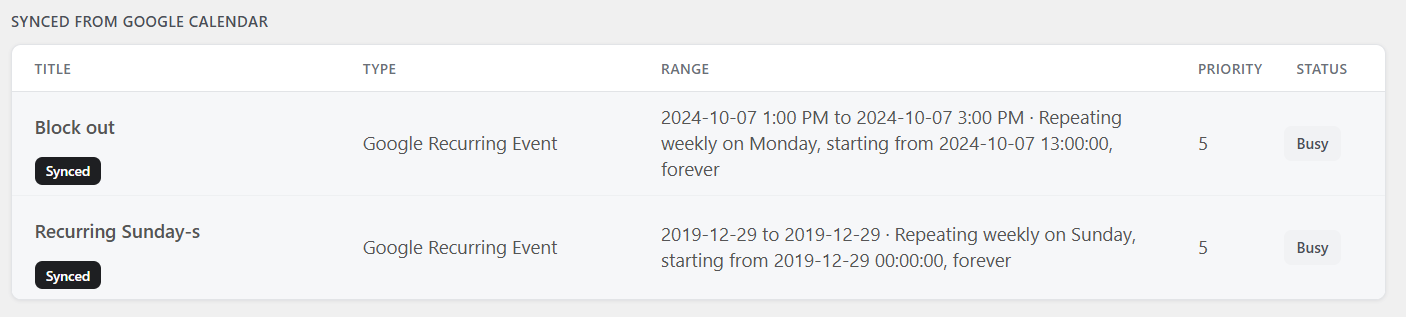
Google Busy
With Google Calendar two-way sync, busy events appear under Unavailable as Busy. Edit them in Google Calendar, then re-sync.
Product Availability tab
On the product, this tab keeps a week preview, a link into Appointments → Availability, plus Availability Check, Auto-select?, and Restrict start days?. Hours themselves are always edited in Appointments → Availability.
Checklist
- General or the product has at least one Open time rule
- Week at a glance matches what you want
- Place a test booking